Category Archives: Life Journal

Looking in the Mirror

I’m a fan of Neil Postman’s work. His book, Amusing Ourselves to Death: Public Discourse in the Age of Show Business, is an incredible work, and not just for the concepts it covers. It’s most amazing accomplishment is that is was written 30 years ago and is more relevant today than it was then. I’ve already read the book and written a review on it, and I consistently recommend it to everyone I interact with.

So you may be wondering why I’m writing about it again.

Well, in the midst of the government shutdown earlier this month, a close friend of mine, Jeff Turner, wrote an incredibly thought-provoking blog entry entitled, “The Illusion of Knowing Something”. In it, Jeff references Postman to support his point that, in this country, we value “the appearance of knowledge, not actual knowledge”. To say you’d be doing yourself a disservice by not reading Jeff’s post is an extreme understatement. I implore you to read it. It’s short, sweet, and to the point. (If I only had a fraction of his writing talent…, but that’s a post for another time.)

As a Postman fan, I completely agree with Jeff. On the whole, we have become lazy. We rely on the media and others to summarize complicated issues into 5 second sound bytes so we can feel informed. We regurgitate these sound bytes to support and defend our views. Few of us are genuinely interested in researching the issues on our own to formulate our own opinions, and those who do are accused of wasting their time. The end result is the situation we find ourselves in today. A government that is more interested in winning the war of public support through sound bytes and imagery rather than serious debate over what is really in our best interests.

I mean, seriously, how many of us would be willing to sit through a 6 hour unbiased recap of the Patient Protection and Affordable Care Act. (Frankly, as Jeff points out, I’m not sure how many of our elected officials would be interested in doing that.) Instead, we’re content to get a summary from CNN, Fox News, Jon Stewart, or our favorite news outlet, which aren’t designed to inform us. They’re designed to entertain us in the name of ratings so we continue to tune in the next day, the day after that, and so on.

So the next time you find yourself complaining about the ineffectiveness of the politicians we’ve elected, especially those in Washington, remember that we are all to blame for what’s happening. Until all of us decide to spend the effort to educate ourselves on the issues shaping our future and form our own opinions, our destiny will be determined by those who job it is to entertain rather than inform us. It’s a decision that will not only affect us today but also affect our country for generations to come.

 

Aging, a state of mind

I recently came across an article on the Blackstone Blog titled Blackstone’s Byron Wien Discusses Lessons Learned in His First 80 Years. There are 20 lessons in total, some which are obvious, some which are good rules to live by, and others which are personal observations and opinions. I highly recommend that you read the article as there are takeaways for people of all ages. Anyway, the article got me to thinking about my philosophy towards aging.

I’ve been lucky enough to know a few octogenarians and nonagenarians. From my observations and interactions with them, I’ve come away convinced that age is a state of mind. Those who choose to stay active and have a positive outlook on life live a far better quality of life than those who have chosen to give up. There are four key items, in order of importance, that I’ve noticed these “old-timers” do that I’ve tried to integrate into my lifestyle:

  1. Stay physically active
    In a book titled “Younger Next Year“, internist Dr. Henry Lodge explains how the body is designed to destroy itself. When one is young, the signals to build and regenerate the body are strong and occur naturally, but they weaken with age. Through his research, Dr. Lodge has found that regular physical activity helps alert the body to rebuild itself. Therefore, it becomes more important to stay physically active as you age to counteract the weakening of your body’s natural regeneration signals. I don’t know how accurate the theory is, but it certainly make sense to me.
  2. Stay mentally active
    Your mind is no different than the muscles in your body. It needs exercise in order to stay sharp. A number of Mr. Wien’s lessons are directly related to staying mentally active, such as his suggestions to read regularly, to travel extensively, and to look for ways to do your job better every year.
  3. Stay socially active
    Like it or not, humans are pack animals. We require social interaction and membership in group(s) in order to maintain our mental health. Think about it. If you’re like me, the best times in your life have always be with groups of people – typically family, friends or both.
  4. Everything in moderation
    What you put into your body is important, really important. You become what you eat, so if you are always filling your body with junk, well, your body will turn into junk. Now, I’m not saying that you should avoid all junk foods, sweets, red meat, or alcohol, but I am a firm believer in moderation. There’s nothing wrong with enjoying an occasional treat, just try to avoid over indulging.

Will following these four principles allow you to live forever? No. Unfortunately, we aren’t designed to live forever, and I haven’t been around anyone who has. The idea here isn’t to figure out how to live forever, but how maintain a reasonable quality of life as we age.

Will following these four principles guarantee good health? No. There are no guarantees in life, particularly when it comes to your health. It all comes down to one variable that none of us control, our genetic code. The genes we are born with have a large influence over our health. So even if you were to live the perfect life, bad genes could still cause you to suffer health issues. However, doing these four things will give you the best chance to overcome any health issues, or at least make them more bearable.

My philosophy on aging is to stay physically active, stay mentally active, stay socially active, practice moderation, and incorporate lessons learned from elders around me, including some of the 20 from Mr. Wien so I can live a more fruitful, productive and enjoyable life.

The end to 20 years of frustration

I still remember the night of October 14, 1992. I was volunteering for my Alma mater, Rennselaer Polytechnic Institute, at a college fair at Newbury Park High School. When I left to go the event, the Pirates has 1-0 lead over the Braves in Game 7 of the National League Championship Series.

Unlike today, where the internet and smartphones make it easy to check scores, I had no way of knowing what was going while I worked the event. As it turned out, the Pirates had extended their lead to 2-0 and were heading to the bottom of the ninth with a two run lead when I returned to my car for the short drive home.

I listened on the radio as the Braves inched closer. I remember pitcher Doug Drabek leaving in favor of closer Stan Belinda, who would be tasked with preserving the win with the bases loaded and nobody out. He got the first out on a sacrifice fly, walked the bases loaded, and then got a pop out to the infield for the second.

Bear in mind that this was the third consecutive year the Pirates made the NLCS, having lost to the Reds in 1990 in six games and to the Braves in 1991 in seven. The Pirates had a roster loaded with star players that included Barry Bonds, Andy Van Slyke, Jay Bell, Jose Lind, Mike Lavalliere, Doug Drabek, Randy Tomlin, Stan Belinda, Bob Walk (current Pirates color man), and Tim Wakefield, yes the knuckleballer Tim Wakefield who pitched with the Red Sox for what felt like forever. In Game 6, he pitched a complete game which the Pirates won easily, 13-4.

The Pirates had not been to the World Series since 1979 and were one out from returning when Francisco Cabrera stepped to the plate. I had just pulled my car into the driveway and didn’t want to miss anything by heading into the house, so I stayed in the car and listened on the radio.

After the season, the Pirates organization dismantled the team. I figured it would lead to a few years of rebuilding, but little did I know that it would last for the next 20 years. It was so bad, that seasons were usually over before the All-Star break or earlier, pretty much ending any hope of a winning season, let alone the playoffs. Worst of all, there never seemed to be any hope on the horizon due to the consistently questionable roster moves the Pirates made every year under the guise of saving money. They consistently signed marginal free agents to lucrative contracts, dealt away their best players to contenders at the trade deadline, and never seemed to have any talent moving through the farm system.

It was even more frustrating over the last 20 years to watch other small market teams have their day in the sun, whether it was Milwaukee, Tampa Bay, Cincinnati, or Minnesota. It was hard to believe that the Pirates couldn’t field a competitive team at some point over the course of two decades when so many other teams had been able to do it, even if it was for just one or two seasons.

Therefore, it’s with great relief that the Pirates have finally put an end to the losing. It’s made watching the scores and standings more interesting this summer with the only remaining question being how far the Pirates will go. Here’s hoping they make it all the way back to the World Series. It would be a great way to reward the city of Pittsburgh and its fans, and to help us all put the past 20 years behind us.

Privacy – Have we reached the point of not return?

The fallout from the NSA PRISM surveillance program continues. A number of web services are shutting down out of privacy concerns for their users, with the latest being Groklaw, a community site that reviewed and commented on legal matters. Pamela Jones, who runs the site, left an emotional post about why she shut down her site which got me thinking, have we reached the point of no return on privacy?

If you don’t have time to read her post, which I would strongly recommend you do, she comments on why having privacy is so important in a democracy governed by the rule of law. One of the most important points she makes is a referencing a book by Janna Malamud Smith entitled “Private Matters: In Defense of the Personal Life”, where she says:

…the point of the book is that privacy is vital to being human, which is why one of the worst punishments there is is total surveillance….

Now comes the revelation via the Wall Street Journal that the NSA can read up to 75% of all US Internet traffic. Once an entity, government or non-government, has access to that much information, would they ever relinquish it? The better question to ask might be, why would they want to relinquish it?

As we know, information is knowledge, and knowledge is power. The ability to know what anyone is doing at anytime is powerful. From my past experience, once someone has access to that amount of power, there’s a tendency to abuse it, and to justify it while they do it. Have we already forgotten the lessons learned of scandals like Watergate?

It makes me worry that we’ve passed a point of no return. If our government has created laws and special courts that justify their right to monitor everything we say and do, what are the chances that the internet that we know and use today will ever be private and free again? Just like those temporary taxes that somehow never go away, my gut tells me that the privacy that we’ve lost will never be returned.

On top of that are the services and products that are here or coming that will erode even more of our privacy. Back when I was in high school and college, it was possible to go out, commit a few indiscretions, and only have your friends who were present to answer to for your actions. Today, everything you do is subject to permanency on Facebook or Twitter, and soon, products like Google Glass will be able to capture your every movement, whether you know the person wearing them or not. Information will be in the public domain for anyone – friends, family, employers and government – to watch what you do. If you’re at all concerned about privacy, it’s a scary thought.

All in all, it’s a shame and a sad state of affairs. As a friend of mine told me today, he thought that the internet would be the greatest legacy of our generation, a free and open portal that would allow for the sharing and growth of knowledge. Instead, the internet may turn out to be the scourge of our generation, the invention that enabled the totalitarian state that George Orwell foretold of in 1984 and stripped us of our personal privacy and freedoms.

How not to email spam

Like the rest of you, I get my fair share of spam email on a daily basis. A lot of it is unsolicited product and service sales pitches for my business. Lately, I’ve found myself scanning these emails, not because I’m interested in buying, but I’m curious how people are pitching their wares. Based on a survey of these emails, I’ve discovered some things people should stop doing, especially if you’re planning to spam me.

  1. Don’t explain, in detail, how bad I am at what I’m doing
    A lot of pitches are SEO services for my website. Their opening paragraph is a list of reasons why my current website sucks. Why say this before ever talking to me? I may have put a lot of time and effort into my site and be very proud of it. Maybe my site is in a state of transition. Maybe my wife built my site for me. In any case, insulting someone does not seem like a good way to get a person to return an email.
  2. Don’t insult my intelligence
    Another favorite of SEO emails is to explain to me that people who show up on the first page of search pages get more inquiries. Really? I would have never guessed that.
  3. Don’t name drop
    I really don’t care if your CEO is in town next week and wants to meet with me. If I don’t know you, your company, or your CEO, it really doesn’t matter who is in town from your company. It’s not worth meeting with you or anyone else from your company unless I have an interest in your product or service.
  4. Don’t write me a book
    If you need more than a few sentences to introduce you and your company, then you’re heading straight to the trash.
  5. Don’t ask me to contact you to set a time
    You spam me and want me to contact you to schedule a time? Assume my time is more valuable than yours and suggest a couple of times to talk. Otherwise, don’t expect a response.

If you want to get my attention through email, or anyone else’s for that matter, try the following:

  1. Be brief and direct.
    Have your elevator pitch down. You should be able to introduce yourself and your company in 2-3 sentences. Tell me who you are, what you do, and the value you deliver, That’s what I need to know so I can decide if what you’re offering is important to me.
  2. Ask a question related to your service
    For example, instead of dissing the search engine ranking of my website, ask about the status of my site and what I’m currently doing for SEO.
  3. Suggest a couple of times to talk
    If I’m interested and these fit my schedule, I’ll pick one and let you know. Otherwise, I can recommend an alternative.
  4. Be respectful
    Don’t take it personally if I don’t respond right away, or if I tell you ‘no’. Respond in kind and ask me to keep you in mind should the circumstances change. Life is too short to be unhappy and burn bridges. A positive attitude is infectious and leads to good karma.

I’m not against unsolicited sales emails. In fact, I’d rather get these than phone calls. They’re a lot less disruptive and can be way more informative. What I’m against is sales emails that are done poorly.

By taking a little time and putting a little thought into your sales emails, you may find that you get a lot better response, at least from me.

I hate Amazon’s recommendation engine

It’s official, I hate the Amazon recommendation engine.

My reading pace has picked up significantly this year. At first I thought it was due to buying a Kindle, which made reading way too convenient, but now I’m wondering if that’s the only factor contributing to my new addiction. I believe Amazon’s recommendation engine may have something to do with it.

Prior to owning a Kindle, I was rarely exposed to Amazon’s recommendation engine for books. I just didn’t read enough, or read often enough, for the suggestions to make sense. Most of the recommendations were centered around products, which typically came in after the fact. For example, after buying a new 55″ TV, getting recommendations for flat screen televisions just isn’t very useful.

Now, I’m getting bombarded with recommendations for books through email and on my Kindle. Once I seeded their algorithm with a few books that I read from similar genres, the suggestions of related books kicked into high gear. My first instinct is to ignore the recommendations, but they’ve helped me discover a number of good books. In fact, my wish list has gone from a paltry 5 items to nearly 40 in the course of a couple of months.

So why do I hate the recommendation engine, well…

  1. It’s made me become addicted to my Kindle. I have so much good material to read, that I’ve become attached to it. I’ve went as far as installing the Kindle app on my phone to feed my addiction when my Fire is out of reach (or out of battery).
  2. It never stops. Just when I think it can’t possibly offer anything new or that I haven’t already seen, it comes up with new recommendations that are oh-so tantalizing. It’s been taking a lot of discipline lately to keep me from growing my wish list even further.
  3. It’s costing me money. After figuring out how to satisfy most of my product needs, now Amazon has figured out how to get further into my wallet to separate me from my cash. A quick review shows I’ve purchased and read 25 books so far this year.

Let’s face it, Amazon has the whole online purchasing thing wired. When they’re able to consistently recommend items that fit my interests and that I enjoy, then they’re doing something right. So while I may complain that I “hate” their engine, it’s a good problem to have, and one I’m sure I’ll figure out how to put up with.

Moving beyond Google Reader

Google Reader iconAlas, July 1st has come and gone, and with it so has Google Reader. An admitted addict, I had finally gotten a bit of control over my habit when Google decided to pull the plug. I had held out hope that they would reconsider, but I finally decided over last weekend that I had better try out a couple of new services.

I decided to look at three alternatives.

  1. The Digg Reader
    I figured I’d give the new Digg Reader a try since they had made a lot of waves in the tech press and appear to be serious about offering a long-term replacement. I ported my feeds over and gave it a try over the weekend. I came away less than impressed. There are too many missing features, such as remaining article count as well as the fact that articles still show up in the list after they’ve been read. I was also a bit frustrated that I could not change the order of the articles. They were always showing newest first, whereas I like to read my feed oldest first.
     

    I’m not going to give up completely on the Digg reader, but I’ve put it on the shelf for now and will give it another go after it matures a bit.

  2. Feedly
    I had used Feedly when it first came out and quickly dumped it in favor of Reader. I was very hesitant to go back, but it appeared to be the popular choice, so I figured I’d give it a try after striking out with Digg Reader.I must admit that I was pleasantly surprised. They’ve made a lot of improvement to Feedly, have provided a lot more reading options such as article view, list view, magazine view, and cards view. They’ve also done a much better job of organizing feeds and showing unread article counts. The performance appears to be better than what I remember, too. As an added touch, they’ve also incorporated quite a few of the Reader shortcuts into the product, at least the ones I use a lot.

    It’s not Google Reader, but it’s close enough. I’m going to give Feedly a try for now.

  3. Tiny Tiny RSS
    My third choice is Tiny Tiny RSS. I haven’t gotten around to giving it a spin as it requires a lot more setup work. I’m going to keep it on my list of reader options should I get frustrated with either Feedly or Digg Reader.

I’m certainly going to miss Google Reader, as are many other people. Unfortunately, or fortunately depending on your point of view, I don’t have the time or coding chops to pull off what this individual did in creating his own alternative to Google Reader.

By the way, if you use Reader and haven’t exported your feeds using Google Takeout, you had better get hopping. After July 15, Google says they are deleting all Reader data. Given the way they worded their going away message, I’d say they’re serious about it.

UCSB ECE 189 Capstone Senior Project Day

Earlier today, I had the privilege of judging the Capstone Senior Projects for the ECE 189 A/B class at UCSB. A few months ago, my good friend and professor for the class, Dr. John Johnson, asked me if I would like to participate as a judge, and I immediately said yes. It was an amazing opportunity to get an in depth look at what his students had been working on for the past year.

My first observation is that teaching methods have changed a lot in the 25 years since I graduated from RPI with my electrical engineering degree. The most I had ever built during my undergraduate experience were a few bread board circuits in the lab, and I had the chance to write some assembly code for a 68030 Motorola microprocessor.

The 7 groups in Dr. Johnson’s class were tasked with selecting a project, specifying the components, laying out a printed circuit board (PCB), sending it out for manufacturing, powering up and debugging the board, and integrating the hardware with software to create a functional product.

A detailed description of all seven projects can be found on the class page for ECE 189 by clicking here, but here is a brief description of each of the projects:

  • Track Mate – a GPS tracking and MP3 players for athletes
  • Smart Cart – an interactive display for shopping carts
  • Smart Guitar – a device that picks up analog signals from a guitar and displays the data as music notes
  • AFRObot – an autonomous robot that follows and traces existing lines with high precision
  • Swell Alert – a Wi-fi connected alarm clock that uses data from public sources to monitor surf conditions
  • M.A.D. Dog – a robot that maps office spaces before going on security patrol
  • Mu.S.E. – a music player that automatically selects music based on the environment

Each of the groups had chosen very complex projects, and it was amazing to see the progress they were able to make in such a short amount of time. Each group had two 10-week sessions to build the hardware and software, with a 10-week break between sessions during which their printed circuit boards were manufactured and assembled. Each group was able to demonstrate a piece of working hardware, with some groups making more progress than others. In fact, a couple of the groups had projects that were close to being finished products.

The groups were also well prepared, had clear and polished project presentations, and handled questions from the audience effortlessly. The presentations were not only a reflection of the effort the students put into their projects but also of the effort Dr. Johnson, his Teaching Assistant, and the rest of the support staff in UCSB’s ECE department put into helping the students. To say I walked away impressed is an understatement.

Amongst all of this, myself and two others had to judge these projects and select a winner, which was not an easy task. In the end, it came down to two projects that separated themselves from the pack – the AFRObot and Swell Alert. In the end, there could only be one winner, and after quite a bit of debate, we selected Swell Alert.

I’d like to congratulate the Swell Alert team, as well as the AFRObot and other Capstone project teams for a job well done. And I’d like to personally thank my friend John for asking me to be a judge and hope that I’ll have an opportunity to do it again.

How I Use Square

Square Register App Home ScreenMy favorite use for the credit card processing service Square is collecting my rebate from those silly rebate credit cards you get sent in the mail. In the “old” days, companies would mail you a check when you completed their rebate process. Now, they send out credit cards that contain your rebate.
For me, the cards are not as convenient as the checks. I either put them in a drawer and forget about them, or I spend them down to a couple of dollars and then have a hard time spending the balance. Most merchants are reluctant to break apart transactions into small amounts. Eventually, the fees eat up the balance.

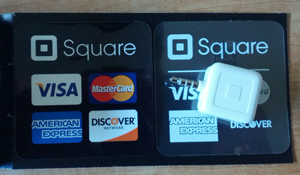
This is where Square comes in. You can sign-up for a free account at http://squareup.com, they send you a free card swiping dongle, and you download their Register app from the App Store or Google Play.

Square Card Reader

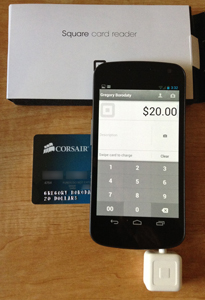
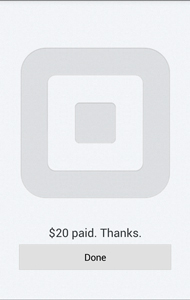
Getting Ready to Square UpFor example, I recently got a $20 rebate check from Corsair for the power supply I purchased for my latest computer. Instead of carrying the card around and finding ways to use it, I loaded up the Register app on my phone, plugged in the dongle, logged into the account, and paid myself the $20. Sure, Square charges a flat card processing fee of 2.75%, so I lost $0.55, but I would have probably lost a lot more than that when the balance got down to a couple of dollars.
It’s awesome that credit card processing has become accessible for individuals. There are plenty of other ways to use Square for your personal use (think garage sales for example), but processing those pesky rebate cards has got to be my favorite.

Square Success

Google may have cured my Reader addiction

Google Reader iconAs a recovering Google Reader addict, I’ve been doing pretty good this year keeping my habit under control. I’ve trimmed my feeds down to a reasonable level, and rarely does my daily article count exceed the 150 level. It’s been a refreshing change from the crushing weight of trying to keep up with 300+ articles a day, which is where I was at during the height of my addiction.

So, I’m not sure if it was surprise, anger, disappointment, relief, or a combination of all of the above that I felt when I opened my Google Reader the morning of March 13th. The message staring back at me said that Google Reader would no longer be available starting July 1st – it had become a victim of Google’s “spring cleaning” so they can pour more energy into fewer products.

Surprise
My first reaction was “how could they kill Google Reader?” Google Reader is such an integral part of my daily routine, much like reading the morning newspaper, that I couldn’t imagine that it would go away. It took a few minutes for the shock and disbelief to pass.

Anger
Once the shock and disbelief passed, the next thought was “how could they do this to me?” Yes, I took it personally, until I realized I wasn’t alone. Scanning the articles in my soon to be discontinued Reader confirmed it. Op-eds like this one on Mashable popped up expressing their love for Reader, others expressed how critical it is to their job, while another neatly summarized the shock and disbelief I initially felt (this one’s my personal fave).

Disappointment
Knowing that others were in the same boat as me helped me move from anger to feelings of disappointment. After flipping through numerous articles, it was clear that this was not an early April Fool’s joke and that Google was serious. In fact, I held out hope for most of the day that perhaps Google would reconsider their decision based on the strong negative reaction until I saw this article on GigaOM. When the creator of Google Reader states that Reader was living on borrowed time, it’s pretty clear that the decision is final.

Relief
After coming to the realization that I would have to move on, a feeling of relief came over me. It was almost as if Google realized I had a Reader addiction and was coming to my aid to help cure it, for good. It has certainly diminished the importance of Reader in my daily routine, and now I’m ready to perform another culling of my subscriptions as the looming deadline approaches.

If there is good news in the announcement, it’s two things. First, Google does provide a method for you to export your feeds so you can take them to another service. Marketing Land has provided a list of 12 alternatives that could be used instead of Google Reader. Second, by providing a few months of notice, it will give the existing services a chance to improve (which Feedly has been doing a lot of lately), or it will allow another party to step up and fill the void.

Now I just need to decide if I’m going to slowly wind down my reading between now and July 1st, go cold turkey on July 1st, or transition my addiction to another service. For the time being, I’m going to continue using Reader and see if one of the existing services separates from the pack or if a new option presents itself between now and July 1st.

No matter the outcome, it will feel good to finally put my addiction behind me.  Thank you Google.