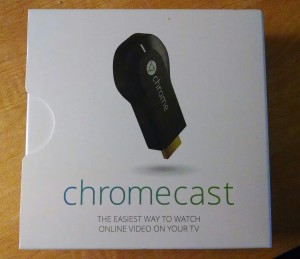
 I’ve been wanting to check out Google’s Chromecast since it came out. Thanksgiving night, I noticed that Amazon was selling it for $30 with a $6 Google Play credit making the effective price $24. The deal was too good to pass up. I went for it. I’ll admit that it was an impulse purchase, but I’ve impulse bought worse. Much worse, and for a lot more money.
Thanks to the magic of Amazon Prime, the Chromecast arrived in Saturday’s mail. Don’t ask me how Amazon does it. Jeff Bezos must be practicing some kind of voodoo magic over there. As an aside, an Amazon Prime membership is the cheapest $80/year you’ll spend. Free two-day shipping, access to free streaming of hundreds of movies and TV shows, the Kindle lending library. It doesn’t get any better. Anyway, i digress – back to Chromecast.
The amount of time it took to go from out of the box to operational was ridiculous, in a good way. In fact, I think I spent more time figuring out which port to plug it into in my receiver and where to plug it in than I did setting it up. Here’s how easy it is:
- Plug it into an HDMI port on your TV or receiver.
- Plug the AC adapter in.
- Load the Chromecast app on your phone or tablet.
- Start the app, it asks you to verify that the code on the TV matches the code on your phone/tablet.
- Hit OK in the app, the Chromecast reboots.
- Through the app, enter your Wi-fi password
- Done. Chromecast is operational.
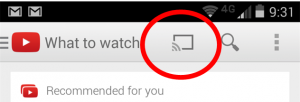 It is very easy to stream content through Chromecast. Simply load up any Chromecast enabled app, look for the Chromecast symbol (see picture right), and press it. You’ll be asked to connect to the name you gave the Chromecast app, and then you’re in business. Anything you select through the app will be played on the TV.
Trust me, this is simple to setup and easy to use.
Likes
- For all the grief Google takes for being a consumer unfriendly company focused on technology, the Chromecast is incredibly easy to setup. Google nailed it here and knocked it out of the park.
- Chromecast worked flawlessly with all of the apps I’ve tried so far: YouTube, Google Music, Netflix, HBO Go. It’s a great way to share content with the family on the big screen.
- It’s awesome that you can search for additional content in the app while Chromecast is streaming content
- Another great feature is allowing multiple people to connect to the Chromecast at one time. No more, “hey, can you load this next?” Everyone in the room can search for content to push to the TV. It’s great if you’re into YouTube viewing parties.
- The Google Cast extension for the Chrome browser is the bomb. Once you install the extension, you can mirror whatever you are doing in that Chrome browser tab to your TV, and I mean anything. I was able to push content from Vimeo, Hulu and ESPN without much trouble. It would be much nicer (and smoother) with an app, but the browser mirroring bridges the gap while I wait for the official Chromecast apps.
- It really improved the value of my Nexus 7 tablet, which has mostly sat in a drawer since last Christmas. It’s now an awesome remote for the Chromecast.
Requests (aka Dislikes)
- More apps, and I mean a lot more apps. The situation is improving slowly, as Google announced a number of new apps this past week, but a few simple additions like access to Amazon Prime Instant Video would up the value of the device tremendously.
- A dead simple way to stream content from your home network. This is a major hole.
- Display photos from your own network in the background on startup, or while playing music. Being able to create instant slideshows would be an added bonus.
The verdict
Chromecast is effectively a poor man’s Apple TV or Roku box. If you already have one of those, you don’t need it. In fact, given the relatively few apps that are available, you’ll probably find that it’s a step back, especially from Apple TV. The biggest drawback is the difficulty streaming content (music, video and photos) from your home network.
On the other hand, if you don’t have a streaming media box connected to your TV, Chromecast is the best bang for your buck. I’d highly recommend it and don’t regret making the impulse buy. I also believe that if Google keeps giving it a little love, like adding more apps and content streaming from your home network, then Chromecast has the ability to be a killer device, especially at a price point of under $40.

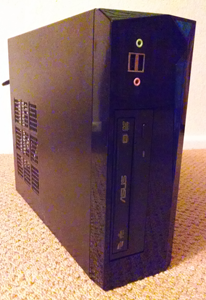
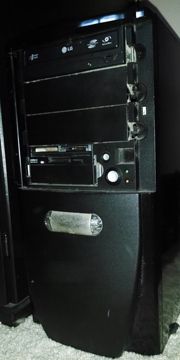 I have a couple of aging computers that are still in service in my house. With the end of support approaching with Windows XP, I decided it was time to start replacing the old rigs with new ones. After replacing a 12-year old Dell machine with my first min-ITX build, it was time to replace my first DIY computer.
 Bitcoin has been in the news a lot lately. There have been wild price fluctuations, speculation, exchanges being shuttered, and talk of disruption. Out of all this talk, I’m not sure what to make of digital currency. Is it a world changing idea or just a fad?
 I’ve been extremely pleased with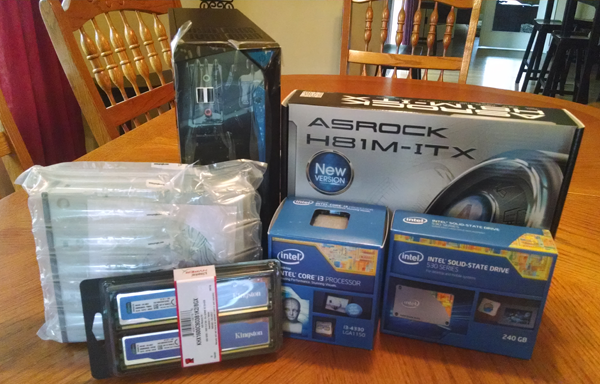
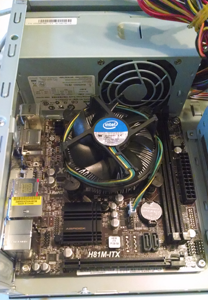 I’m re-using the keyboard and mouse from the current machine, so I didn’t include them in the cost of the components.
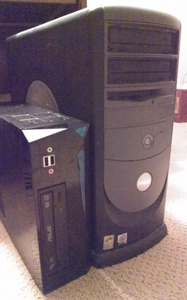 I’ve been spending most of the last week transitioning the key files and programs from the old machine, which has served the family quite well over the years. It’ll be sad to see the old beast go, but it was time. I have a feeling that within a couple of weeks, none of us will realize its gone. In fact, I bet we’ll be wondering why we didn’t upgrade to a new machine sooner!